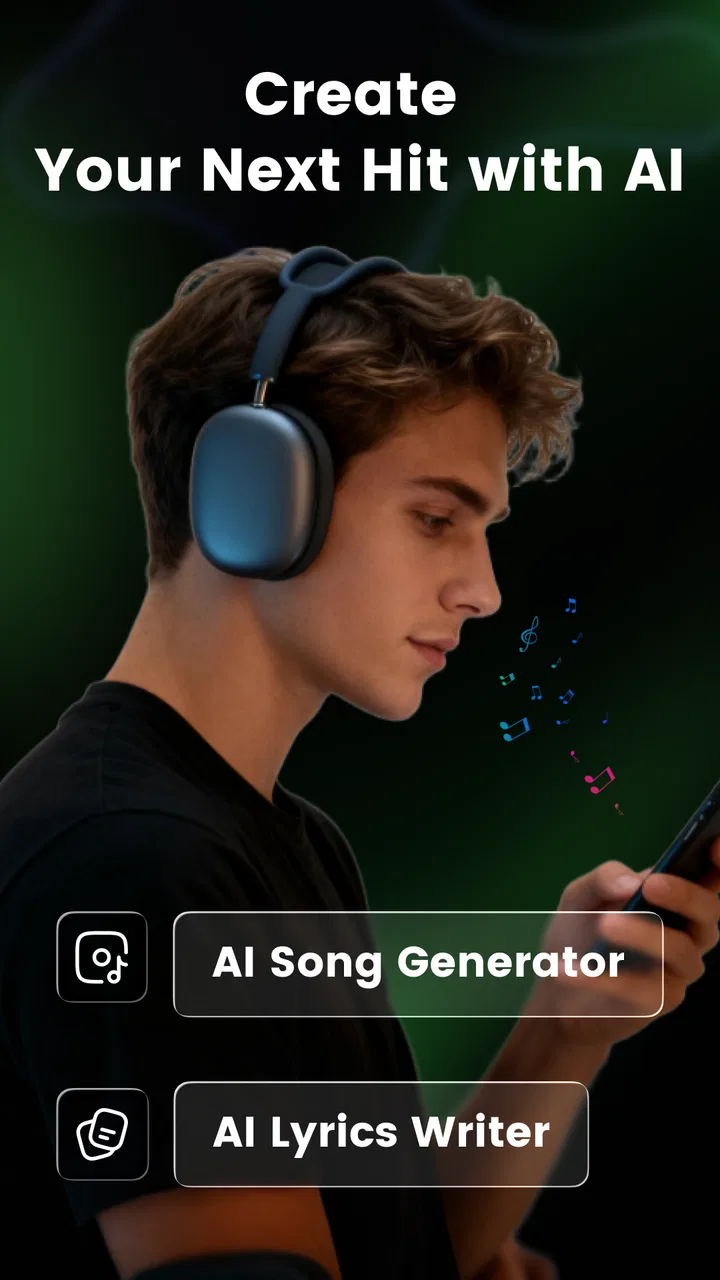
AI Song & Music Maker-Musicful
- 4.4
- Rating
- 500.00K
- Installs
- Free
- Price

 Analysis by App-foxy
I approached AI Song & Music Maker-Musicful as someone who wants to turn a musical idea into something listenable without opening a full digital audio workstation. It is a free music and audio app from Wheatfield Guard Technology Co., Ltd., built around AI-assisted song creation across styles such as rap, pop, and hip hop. My first impression was that it aims less at detailed studio engineering and more at reducing the distance between “I have an idea” and “I can hear a version of it.”
That focus makes it interesting for beginners, casual creators, short-form video makers, and anyone who enjoys experimenting with musical moods. It is also a useful app to consider from an inclusion perspective, because a simplified generator can remove some of the technical knowledge normally required for arranging a track. At the same time, simplicity is not the same as universal ease of use. People who need precise control, highly predictable results, or a very clear workflow may still encounter friction.
How the app feels to read and navigate
The central idea is easy to understand: choose or describe the kind of song you want, let the system generate a result, and then decide whether it is worth keeping or refining. That is a much gentler starting point than a traditional music workstation, where the user may first face tracks, timelines, instruments, effects, meters, and editing tools before hearing anything.
You May Also Like

 Blood Strike: 2.5 Anniversary
Blood Strike’s Loadouts Turn Every Drop Into a Tactical Gamble
A close look at Blood Strike’s custom loadouts: how fast access to signature weapons reshapes its battle royale rhythm, rewards preparation, and narrows the gap between fights.

 Pandora - Music & Podcasts
Pandora’s Music Is Easy to Start, but Harder to Recover
Pandora’s strength is its low-effort path from a seed to a station. Its weak spot is how much confidence it asks you to place in connection, setup, and quiet recovery.

 8 Ball Pool
 Is Built on Rivalries, Rematches, and Routine
A close look at the rivalries, rematches, shared routines, and unanswered safety questions that turn a quick pool match into a persistent mobile community.

 Samsung Music
’s Quiet Strength Is Playing What You Already Own
Its reach comes less from spectacle than from dependable access to a personal library. That simplicity is both the app’s strongest retention engine and its ceiling.

 AccuWeather: Weather Radar
AccuWeather Review: A Quick, Clear Forecast for Everyday Decisions
For everyday plans, the best forecast is the one you can understand quickly. AccuWeather makes rain timing, radar, and local conditions easy to act on, with a few trade-offs.

 Hill Climb Racing
Why Hill Climb Racing Still Turns Crashes Into One More Run
A tiny car, a bumpy hill and one more upgrade: Hill Climb Racing keeps resurfacing because its simple chaos makes every near-miss feel personal.
More From Our News Desk
View All News


For a first-time creator, this matters. The app’s identity is immediately tied to making music rather than studying music production. I found that approach more approachable for quick experiments, especially when I did not want to spend time setting up a project. Someone who has never played an instrument can still begin with a genre direction and a mood in mind.
Readability is strongest when the interface keeps the creative decision in front of you. A user should not need to understand every production term before trying an idea. The app is therefore a better match for people who prefer guided choices and plain-language experimentation over a screen packed with controls.
There is a trade-off, though. A guided interface can hide important distinctions. A new user may understand how to request a style but not immediately know how much influence wording, structure, or genre selection has on the final result. I recommend starting with short, specific creative instructions rather than a long paragraph. For example, describe the atmosphere, pace, vocal character, and intended use separately in your own notes before entering a request. That makes it easier to compare attempts and identify what actually changed.
One practical workflow is to create several variations around one idea instead of trying to perfect the first generation. Save the wording that produced the closest result, then alter only one element at a time. This is more useful than changing genre, mood, and subject simultaneously, because it gives you a clearer sense of how the app responds.
The app’s free entry point also lowers the risk of trying it. It is rated for Everyone, and the current version is 2.7.3. Those details make it feel suited to broad casual use, although parents and educators should still judge whether AI-generated music fits their particular setting and supervision needs.
Who benefits from a simpler music workflow
I would recommend it first to people who want a sketch, a playful experiment, or a soundtrack idea rather than a finished commercial production. A songwriter could use it to test the emotional direction of a chorus. A video creator could explore whether a scene feels better with a bright pop mood or a heavier hip-hop atmosphere. A student could use it to understand how musical style changes the feeling of a short concept.
It can also help people who face a knowledge barrier rather than a physical one. Traditional production software often assumes familiarity with rhythm, harmony, recording, and mixing. An AI generator can act as a bridge: you can begin with language and listen for what works. That does not replace learning, but it provides a less intimidating first step.
The strongest use case I found is rapid ideation. Imagine preparing a short travel video after work. You know you want something energetic but not aggressive, and you do not have time to build drums, bass, and a melody from scratch. Musicful can be used to explore that direction quickly, helping you decide what kind of musical identity suits the video before committing to a more demanding tool.
For a musician who already knows exactly what they want, the value is different. The app may be useful as a source of prompts or unexpected arrangements, but it is less likely to replace a sequencer, multitrack recorder, or instrument library. The more your goal depends on exact notes, detailed vocal editing, or repeatable production settings, the more important those conventional tools become.
Motor, visual, hearing, and attention considerations
A generator-based workflow can reduce motor demands compared with drawing notes into a piano roll or repeatedly adjusting small mixer controls. Fewer manual editing steps may be helpful for someone who finds precise tapping, dragging, or long sessions of fine control tiring. It can also suit users who prefer composing through text and broad selections rather than manipulating many tiny interface elements.
That benefit should not be overstated. Music creation still involves reading choices, selecting options, starting playback, comparing results, and deciding what to keep. If a person has limited dexterity, the number of controls and the size of touch targets will matter in everyday use. I would test the app during a short session first, then see whether the same actions remain comfortable after several generations.
For users with visual differences, the most helpful habit is to keep the process deliberate. Work through one decision at a time, avoid rushing between generation and playback, and use the device’s own display or text settings where they are comfortable. The app is easier to approach when its purpose is clear, but a creative interface can still become confusing if labels, icons, or result states are difficult to distinguish.
People with hearing loss can still gain value from the creative side of the app, especially when using it to explore structure, lyrics, genre, or a visual project’s timing. However, judging a generated song depends heavily on listening. If you cannot comfortably evaluate audio through the phone’s normal output, the app may be more useful as an idea generator than as a final quality-checking tool. This is an important distinction: producing a track and confidently assessing its mix are separate tasks.
For users sensitive to busy sound or sudden changes, I suggest beginning with low expectations and a controlled listening environment. Keep the first session short, and avoid treating every generated result as something that must be played repeatedly. A practical approach is to write down what you want to evaluate before playback: overall mood, vocal presence, rhythm, or suitability for a scene. That prevents unnecessary listening and makes comparisons more focused.
Attention can also affect the experience. AI generation encourages quick repetition, and it is easy to produce many versions without making a decision. I found it more productive to use a simple three-step rule: create, listen for one purpose, and either keep or discard. This prevents the app from becoming an endless stream of similar experiments.
A useful approach for lyrics and creative prompts
When working on a song idea, I would separate the creative brief into small pieces: subject, emotional tone, genre direction, and where the music will be used. This is especially helpful for users who find open-ended interfaces overwhelming. It also makes the process more accessible for collaborators, because another person can understand why a particular version was chosen.
Do not assume that a genre label alone communicates the whole idea. “Pop” can mean bright, intimate, nostalgic, or dramatic. Adding a clear emotional purpose gives the generation a better chance of matching what you imagined. The same applies to rap and hip hop: decide whether the important quality is energy, storytelling, atmosphere, or rhythm before you begin.
Another useful trade-off is accepting that the most surprising output may not be the most usable one. If you are making a private experiment, unexpected changes can be enjoyable. If you are preparing music for a video or presentation, consistency matters more. In that situation, keep a small set of preferred versions and evaluate them against the project rather than choosing the most unusual result.
Using it in different situations
The app fits short creative sessions well. I can imagine using it during a commute, between classes, or while planning a social post, provided the user has a suitable connection and a comfortable way to listen. It is less suited to people who need a quiet, fully controlled studio workflow, because AI generation is exploratory by nature and may require several attempts before the result feels right.
It is also a reasonable option for families or mixed-skill groups because the age rating is Everyone and the basic concept is easy to explain. Still, a shared activity works best when one person sets the creative goal and everyone agrees on how generated material will be used. That keeps the session focused and avoids confusion when several people request unrelated styles.
For content creators, the main question is not simply whether the app can make music, but whether the result fits the project’s needs. A quick background idea can be valuable for a draft. A public release requires more careful consideration of originality, suitability, and any usage terms that apply to the particular output. I would not treat a generated track as automatically ready for monetized or professional publication without checking the relevant rights and platform requirements.
The same caution applies to personal identity and voice. If your project depends on a specific performer, a recognizable vocal character, or exact lyrical delivery, a general AI music tool may not provide the control you need. A human collaborator or a conventional recording app will usually be better when authenticity and precise performance are central.
Storage and organization are another overlooked part of the workflow. Because it is easy to make multiple versions, name them immediately using the mood and purpose rather than relying on vague labels. For instance, distinguish a calm background attempt from an energetic intro. This small habit saves time when returning to the app later and makes the creative process easier for someone else to follow.
Where the experience still creates barriers
The biggest barrier is the gap between a generated song and a finished production. An attractive result can still have a structure that does not fit your video, a mood that changes unexpectedly, or details that are difficult to adjust precisely. Users who expect complete control may become frustrated because the app’s strength is speed and exploration, not exhaustive manual editing.
There is also a learning curve in describing what you want. The interface may be simpler than a workstation, but creative prompting is still a skill. Beginners can mistake an imperfect request for a weak music system. My advice is to treat the first few attempts as calibration. Keep the subject stable, change one stylistic element, and listen for the difference.
Cost can become another consideration for frequent users. The app is free to start, while in-app purchases range from $4.99 to $199.99 per item. That broad range means I would review the purchase screen carefully before committing, especially if you are only experimenting or if a child is using the device. Occasional creators may find the free access sufficient, but regular generation can make the overall value depend on how often you use it and how much control or output you receive for each purchase.
Device comfort matters as well. The minimum operating system is Android 8.0, so compatibility is not aimed only at the newest phones. Even when an app runs, however, older hardware can affect how pleasant repeated generation and playback feel. If your phone is slow, has limited free space, or has weak audio output, the creative process may feel less smooth than it does on a newer device.
Some users may also need more explicit feedback during the process. When an AI result is not what you expected, it helps to know whether the issue came from the wording, the selected style, or the limits of the generation itself. If you prefer transparent, step-by-step control, a loop-based music app may be easier to reason about even though it requires more manual work.
How it compares with familiar alternatives
Compared with a traditional digital audio workstation, Musicful is quicker to enter and less demanding at the beginning. A workstation wins for exact arrangement, recording, mixing, and repeatable edits. I would choose the AI app for brainstorming and the workstation for turning a chosen idea into a carefully controlled production.
Compared with loop libraries, the app offers a more open-ended starting point. Loops are predictable and easy to align, which is useful for creators who want immediate control over rhythm and structure. AI generation can produce a broader initial concept, but its results may require more selection and judgment. If you already know the tempo and arrangement you need, loops may be the faster route.
Compared with a simple voice recorder, Musicful is aimed at creating a musical bed rather than capturing a performance or spoken idea. A recorder remains better for preserving a melody you sing, an interview, or a rehearsal. I see the two tools as complementary: record the human idea first, then use generated music to explore a possible setting for it.
Its position is clearest for users who want the middle ground between “I have no production skills” and “I need a professional studio.” That middle ground is useful, but it is not perfect for every project. The app earns its place when speed, accessibility of entry, and stylistic experimentation matter more than detailed authorship of every musical element.
My inclusive verdict
Musicful is a friendly starting point for AI-assisted music creation, particularly for people who find conventional production software intimidating or physically demanding. Its free availability, Everyone age rating, broad style focus, and straightforward creative premise make it easy to recommend for experimentation. The developer, Wheatfield Guard Technology Co., Ltd., has positioned it in a part of the Music & Audio category where lowering the first barrier can be genuinely valuable.
Its public reception is encouraging, with a 4.4 average from around 4.1 thousand ratings and more than 500 thousand installs. Those figures suggest that the concept has reached a substantial audience, but they do not remove the need to test whether its workflow suits your own way of working. I would judge it by the comfort of the interface, the usefulness of the generated results, and whether the available control matches your expectations.
My honest recommendation is to use it as an idea partner, not as a complete studio replacement. Begin with a small creative goal, keep prompts specific, compare versions methodically, and organize anything worth keeping. If you need exact editing, dependable structure, detailed mixing, or a clearly human performance, choose a more specialized tool instead.
For casual creators, beginners, educators, and people who want to explore music without mastering a complicated workstation, it is worth trying. For users with sensory, motor, or attention-related needs, the reduced technical workload may help, but personal testing remains important because comfort depends on the actual device and listening setup. In the right context, Musicful makes music creation feel less like an engineering task and more like a conversation with an idea.
FAQs for AI Song & Music Maker-Musicful
01What is AI Song & Music Maker-Musicful?
AI Song & Music Maker-Musicful is a mobile music creation app designed to help users generate songs, beats, melodies, and other musical ideas with artificial intelligence. You can usually begin by entering a prompt, selecting a style, or choosing a mood, then let the app create a track based on those preferences. It is aimed at beginners and casual creators who want quick results without advanced production experience.
02Do I need musical experience to use Musicful?
No, you do not need formal musical training or previous experience with digital audio workstations to use Musicful. The app is built around simplified controls, templates, prompts, and automated generation tools. Beginners can experiment with genres, instruments, moods, and lyrics, while more experienced users may use the generated material as a starting point for songwriting, arrangement, or creative inspiration.
03Is AI Song & Music Maker-Musicful free to download and use?
The app may be available to download at no initial cost, but some generation features, export options, premium styles, or usage limits can depend on in-app purchases or a subscription. Before creating many tracks, check the current pricing, trial conditions, renewal terms, and cancellation policy shown in the app store or inside the application. Availability and limits may change between Android and iOS.
04Can I use the songs created with Musicful commercially?
Commercial usage depends on Musicful’s current licensing terms and the plan used to generate or export a song. AI-generated music may have restrictions involving monetization, advertising, streaming platforms, copyright claims, or ownership of lyrics and audio elements. Review the app’s license agreement before publishing a track commercially, and avoid assuming that downloading a song automatically grants unrestricted ownership or distribution rights.
05Does Musicful require an internet connection?
Most AI music generation features require an internet connection because prompts and audio processing are commonly handled through online servers. You may be able to browse saved projects or listen to previously downloaded tracks offline, but creating new songs, synchronizing content, or accessing certain libraries can require Wi-Fi or mobile data. A stable connection is recommended, especially when generating longer or higher-quality compositions.
Pros
- Quickly generates complete songs from simple text prompts.
- Offers multiple genres and moods for varied creative experiments.
- Useful for creating background music for videos and social posts.
- Simple interface makes music creation accessible to beginners.
- Lets users explore ideas without needing instruments or music theory.
Cons
- Generated vocals and lyrics may sound repetitive or unnatural.
- The best voices
- styles
- or exports may require a subscription.
- Results can vary greatly between prompts and repeated generations.
- Commercial usage rights may depend on the selected plan.
- Processing times can increase when servers are busy.

AI Song & Music Maker-Musicful
Gallery